Table of Contents >> Show >> Hide
- Pocket Edition Basics: What You’re Actually Playing
- Mobile Controls: Make Your Thumbs Smarter
- Day 1: The “Don’t Die Before Sunset” Checklist
- Night 1: Light, Lock, and Laugh at Zombies
- Days 2–7: Build a Base That Actually Works on a Phone
- Food, Hunger, and the Secret Meter You Can’t See
- Mining Without Becoming a Cautionary Tale
- Gear & Enchantments: Upgrade Like You Mean It
- Villagers: The Economy Is Just a Bunch of Nose Noises
- The Nether and Beyond: Thriving, Not Just Screaming
- Quality-of-Life for Pocket Players
- Common Mistakes That Delete Your Progress
- Conclusion: From “Surviving” to “Owning the World”
- Player Diary: of Pocket Survival Experiences
- SEO Tags
Minecraft Pocket Edition (PE) is the ultimate “I’ll just play for five minutes” trapexcept you’re on a phone, it’s suddenly midnight in real life, and you’re crouching in a dirt cube whispering, “Please don’t be a creeper.” The good news: survival on mobile isn’t harder, it’s just different. You’re not underpoweredyou’re just operating with two thumbs, a battery percentage, and a screen that occasionally thinks you meant to punch a sheep.
This guide is built for standard Survival play (no cheats required), and it’s designed to help you do two things: survive (stop dying), and thrive (build a world that feeds you, pays you in emeralds, and makes the Nether feel like a spicy vacation instead of a disaster documentary).
Pocket Edition Basics: What You’re Actually Playing
“Pocket Edition” is essentially Minecraft on mobile as part of Bedrock Edition. That matters because Bedrock is built for phones, consoles, and cross-platform playmeaning your friend on a console can join your world, and your cousin on a PC can show up and immediately start measuring your house like it’s a building inspection.
Why this matters for survival
- Controls are the real boss fight. Winning early game is mostly learning to move, place, and fight smoothly.
- Inventory management is a skill. On mobile, clutter is lethal. If you can’t find your sword quickly, the zombie will.
- Performance settings affect safety. Lower lag = fewer surprise hits and fewer “I tapped jump” tragedies.
Mobile Controls: Make Your Thumbs Smarter
Before you gather wood, gather confidence. Spend two minutes in settings so the game feels like a tool, not a prank. Minecraft’s own controls guide highlights mobile basics like sprint, sneak, and the inventory buttonlearn them early and you’ll feel ten levels stronger without crafting a single item.
Do these tweaks immediately
- Adjust sensitivity until you can turn fast without spinning like a confused Roomba.
- Resize/move controls if your version allows ityour jump and interact buttons should be easy to hit under stress.
- Set your render distance to something stable. Seeing far is cool; seeing smoothly is cooler.
- Practice sprint + sneak. Sprint is escape. Sneak is “please don’t walk off this cliff.”
Inventory muscle memory (yes, that’s a thing)
On mobile, you’ll often open inventory via the “…” button on the hotbar, then drag items around. Get used to quick moves: food in one slot, blocks in another, weapon always in the same place. Consistency is survival.
Controller option (the “I choose peace” upgrade)
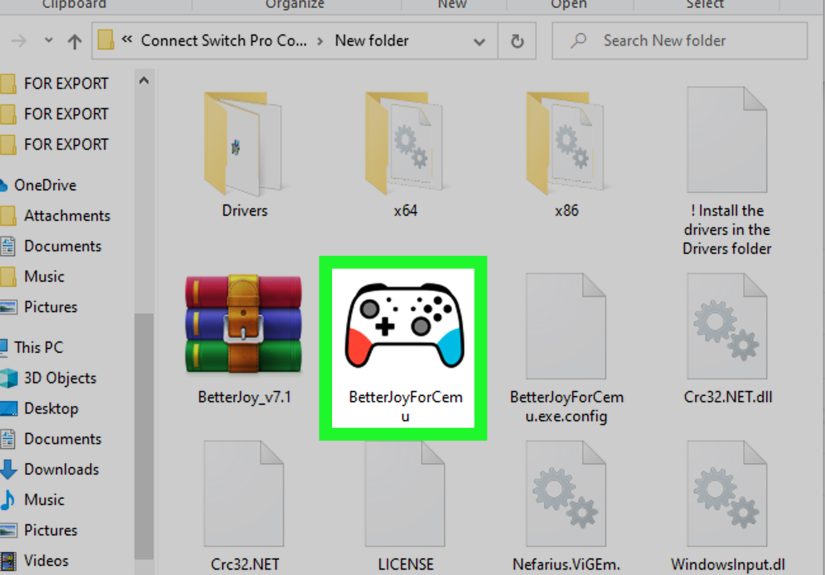
If touch controls feel like trying to play piano with oven mitts, consider pairing a controller. Bedrock supports controller input, and a controller can make combat and building much smootherespecially in tense situations like caves, Nether runs, or “nighttime outside because I forgot beds exist.”
Day 1: The “Don’t Die Before Sunset” Checklist
Your first day has one mission: turn the world into a place where nighttime is boring. Boring is good. Boring means you’re alive.
Step 1: Wood, crafting table, basic tools
- Punch a tree (yes, you’re committing arbor-related crimes immediately).
- Craft planks, then a crafting table.
- Craft sticks, then a wooden pickaxe.
- Mine stone and upgrade to stone tools fast. Wooden tools are starter snacks, not a lifestyle.
Step 2: Food before you become the food
Your hunger bar is a quiet timer that eventually turns into screaming. The full bar is 20 hunger points (ten drumsticks). When hunger drops low enough, you can’t sprint; when it’s high enough, you heal. Translation: food is mobility and regeneration, not just snacks.
Early food ideas that don’t require a culinary degree:
- Cooked meat (hunt animals, cook in a furnace).
- Sweet berries or easy-forage food if you spawn near them (not the best, but they prevent panic).
- Village loot if you’re lucky: bread is basically the “welcome to civilization” gift basket.
Step 3: Coal, torches, and the invention of “indoors”
Your next goal is coal (or charcoal) because torches are the difference between “base” and “monster hotel.” Official first-day guidance emphasizes grabbing coal, crafting torches, and lighting your shelter to stop hostile mobs from spawning. Also: torches make caves feel less like horror movies.
Night 1: Light, Lock, and Laugh at Zombies
There are two types of Minecraft players: those who build a shelter on night one, and those who learn why you should build a shelter on night one. Let’s keep you in category A.
Fast shelter options (ranked by “time to not die”)
- The hillside L-shelter: Dig into a hill and turn it into an L-shape so you’re not directly visible from the entrance.
- The 5×5 dirt cube: Ugly, effective, emotionally humbling.
- Borrow a village house: It’s not stealing, it’s “temporary relocation.” Add torches and close doors.
Whatever you build, do three things: put down torches, block gaps, and make a door if you can. GameSpot’s early survival guidance stresses lighting your shelter to prevent mobs spawning insidebecause nothing says “bad base” like a skeleton materializing in your kitchen.
Make a bed ASAP (spawn control is power)
A bed lets you skip the night and sets your respawn point. That means fewer corpse-runs and fewer “I spawned 2,000 blocks away and now live in grief.” If you can’t get wool yet, survive the night in your shelter and hunt sheep (or find village beds) on day two.
Days 2–7: Build a Base That Actually Works on a Phone
Thriving isn’t about a mansion on day three. It’s about a base that reduces frictionespecially on mobile. Your base should help you do things quickly with minimal tapping and maximum safety.
The “mobile-friendly base” layout
- One wall = storage: chests (later barrels), labeled if you’re fancy.
- One corner = smelting: furnace now, more furnaces later. Efficiency is happiness.
- One spot = safety: bed + extra torches + a door you trust with your life.
- One outdoor zone = food: small farm close to home so you’re not sprinting into danger for dinner.
Light rules (the anti-creeper insurance policy)
Light up your base perimeter and nearby paths. If you can see clearly at night, you’re already winning. The goal is not “beautiful.” The goal is “no surprises.”
Food, Hunger, and the Secret Meter You Can’t See
Minecraft hunger isn’t just the visible drumsticks. There’s also saturation, a hidden buffer that affects how fast your hunger drains. High-quality foods keep you full longer, which means fewer snack breaks and more exploring.
Practical hunger strategy for PE
- Carry a reliable stackable food (cooked beef/pork, baked potatoes, etc.).
- Don’t sprint everywhere early gamesprinting burns hunger faster and turns your food supply into a memory.
- Eat before combat. Fighting while hungry is like going to a sword duel after skipping lunch: bold, but not wise.
Mining Without Becoming a Cautionary Tale
Mining is where new mobile players either get rich… or get turned into a loot piñata for a zombie wearing your hat. Your goal is safe, repeatable mining runs.
The cave kit (minimum viable competence)
- Pickaxe (bring a spare)
- Torches (more than you think)
- Food
- Blocks (for bridging and panic walls)
- A weapon and/or shield
Three rules that save worlds
- Never dig straight down. Lava doesn’t care about your hopes and dreams.
- Mark your path. Torches on one side (like always on the right) can help you navigate out.
- Leave before you’re “one more ore” greedy. That’s how players invent new death methods.
Gear & Enchantments: Upgrade Like You Mean It
Thriving starts when you stop wearing “whatever I found” and start wearing “I planned to survive.” Your early milestone is full iron. Your next milestone is enchanted gear.
Early gear priorities
- Iron armor as soon as you can.
- Shield if available in your versionamazing against skeletons and general nonsense.
- Bow for safe fights and creeper management (distance is friendship).
Enchantments that pay rent
- Protection (general damage reduction)
- Unbreaking (less gear-breaking sadness)
- Mending (late-game legend; pairs beautifully with trading)
- Feather Falling (because gravity is the #1 serial killer in Minecraft)
Villagers: The Economy Is Just a Bunch of Nose Noises
If you want to thrive, you want villagers. Trading turns random chores into emeralds, enchanted books, and gear upgrades. The Minecraft Wiki notes that villager trading revolves around emeralds and has multiple profession levels that unlock better trades.
The “starter trading plan”
- Find a village and light it up so it survives the night.
- Start with Farmers (easy emeralds via crops).
- Add a Librarian for enchanted booksthis is how players become unstoppable.
- Keep villagers safe (walls, lighting, doors, and general “please don’t let zombies eat our economy”).
The Nether and Beyond: Thriving, Not Just Screaming
The Nether is where “survival” becomes “adult supervision recommended.” Don’t go in because you’re curious. Go in because you’re prepared.
Nether prep checklist
- Bring fire resistance options if you have them later (brewing becomes huge for safe exploration).
- Bring extra blocks for bridges and quick shelters.
- Gold piece of armor if you’re dealing with piglinssocial customs matter when everyone carries an axe.
- Mark your portal like your life depends on it, because it does.
Once you can gather Nether resources safely, the rest of the game opens up: potions, stronger gear progression, and smoother End preparation.
Quality-of-Life for Pocket Players
Performance tips that make survival easier
- Lower fancy graphics if your phone stutters during fights.
- Keep your hotbar consistent so you’re not hunting for a sword in the middle of a creeper situation.
- Use a starting map if you’re prone to wandering off like a distracted golden retriever.
Multiplayer thriving
Bedrock crossplay makes it easy to build a world with friends across devices. Thriving in multiplayer is mostly: shared storage rules, a community farm, and a group agreement that nobody brings a creeper home like it’s a stray puppy.
Common Mistakes That Delete Your Progress
- Under-lighting your base (hello, surprise mobs indoors).
- Carrying everything valuable into a risky cave (store first, adventure second).
- Ignoring food until you can’t sprint (running away is a strategy, not a personality flaw).
- Fighting on touch controls without practice (do a few low-stakes fights before you challenge a skeleton at range).
Conclusion: From “Surviving” to “Owning the World”
Surviving in Minecraft Pocket Edition is about removing chaos. You build safety (light, shelter, bed), then stability (food, storage, tools), then power (enchants, villagers, Nether resources). The moment your world starts feeding you automatically and upgrading your gear through trading and enchantments, you’re no longer survivingyou’re thriving.
And honestly? That’s the best part of PE: you can build a whole civilization from a phone. A tiny screen, a huge world, and a thousand stories that start with, “I was just mining for a second…”
Player Diary: of Pocket Survival Experiences
The first time I tried Survival on Pocket Edition, I learned something important: your phone is not just a platformit’s a weather system. Battery percentage becomes your day/night cycle. At 80%, you’re fearless. At 12%, you’re suddenly building a “temporary base” that looks suspiciously permanent. I started treating power like a resource: before a long mining trip, I’d plug in, lower brightness, and turn down fancy settings. Nothing ruins a triumphant diamond haul like your screen going black mid-staircase.
Touch combat has its own personality. On console or PC, you can flick, block, and aim like a trained professional. On mobile, your thumb occasionally declares independence. I got into the habit of “pre-aiming” my fights: I’d back into a doorway, line up my target, and let the mob come to me. Doorways are the great equalizerespecially when you’re juggling jump, attack, and camera control at the same time. I also learned to love water buckets and blocks. On mobile, building a quick barrier is sometimes faster (and safer) than perfect swordplay.
Inventory management on Pocket Edition is its own mini-game. The best change I ever made was assigning roles to hotbar slots: slot 1 sword, slot 2 pickaxe, slot 3 torches, slot 4 food, slot 5 blocks. Every single world. Every single time. That consistency saved me in caves when a skeleton showed up and my brain went full panic. My fingers didn’t need to thinkthey just went to the right slot. I also started doing “dump runs” back to base more often. On PC, I might push my luck because sorting is fast. On mobile, sorting can feel like folding laundry during an earthquake, so I’d rather drop loot into labeled chests and keep moving.
The funniest part of mobile survival is how “real life” blends in. I’ve built farms while waiting for food delivery, smelted iron on a bus, and reorganized a villager trading hall while standing in line at a store. Pocket Edition makes Minecraft feel like a living world you visit in small chapters. And that rhythmshort sessions, clear goalsactually helps you thrive. Instead of wandering aimlessly, I started playing with micro-missions: “Tonight I’ll light the village,” or “I’ll build a wheat farm and one safe mine entrance.” Small goals stack into big progress. Before you know it, your tiny dirt hut becomes a real base, your base becomes a town, and your town becomes a world that can survive without you babysitting every second.