Table of Contents >> Show >> Hide
- What Is a PDF File?
- Why PDF Files Are So Popular
- What Can Be Inside a PDF?
- How to Open a PDF File
- Do You Need Adobe Acrobat Reader?
- Can You Edit a PDF?
- Common Reasons a PDF Will Not Open
- PDF vs. Word Document: What Is the Difference?
- When PDFs Are the Best Choice
- Tips for Working With PDF Files
- Real-World Experiences With PDF Files
- Final Thoughts
- SEO Tags
PDF files are everywhere. They show up in job applications, bank statements, eBooks, travel tickets, user manuals, restaurant menus, school handouts, and the mysterious 47-page document someone emails you with the message, “Please review.” Whether you are on a laptop, tablet, or phone, chances are good that you have opened a PDF today, yesterday, or five minutes ago without giving it much thought.
But what exactly is a PDF file? Why does it seem to open the same way on different devices? And why do people keep choosing PDF instead of just sending a Word document and calling it a day?
This guide explains what a PDF file is, why it became the internet’s favorite document format, how to open one on different devices, and what to do when a PDF decides to be dramatic and refuses to cooperate.
What Is a PDF File?
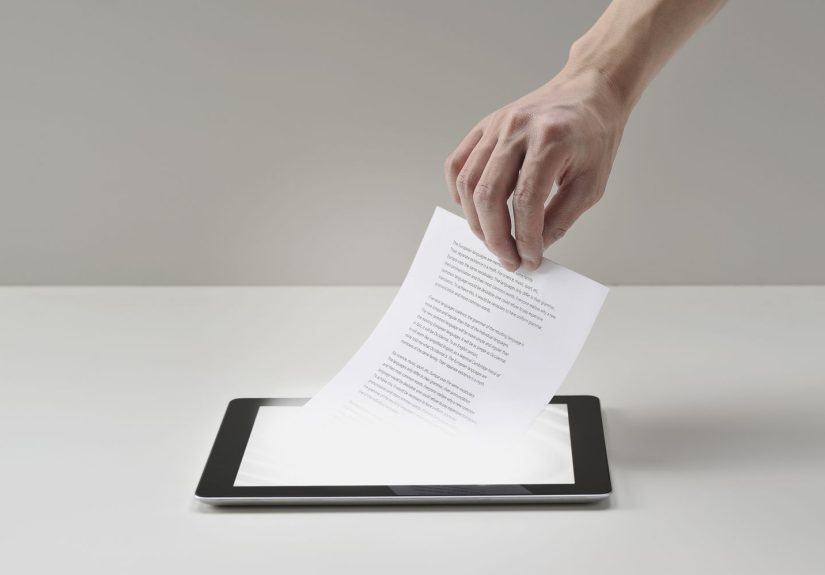
A PDF file is a Portable Document Format file. In plain English, that means it is a type of document designed to keep its layout consistent no matter where you open it. Fonts, images, spacing, page breaks, charts, and formatting are meant to stay in place whether the file is viewed on a Windows PC, a Mac, an iPhone, an Android device, or inside a web browser.
That stability is the whole magic trick. A Word document can look slightly different depending on the app version, installed fonts, printer settings, or operating system. A PDF is built to avoid that chaos. It is the digital equivalent of saying, “No, this is exactly how the document is supposed to look, and we are not negotiating.”
PDF files were created to make document sharing easier and more reliable. Over time, they became a go-to format for everything from government forms and contracts to invoices, brochures, white papers, and printable worksheets.
Why “Portable” Matters
The word portable is not just there for decoration. It means the file can move from one device to another without losing its structure. That portability makes PDFs ideal for documents that need to be shared widely, printed cleanly, or archived for later use.
In other words, a PDF is not trying to be flashy. It is trying to be dependable. And honestly, that is a pretty respectable personality trait for a file format.
Why PDF Files Are So Popular
PDFs became popular because they solve a problem people run into all the time: sending a document that looks right everywhere. That matters more than it sounds. A resume with broken formatting looks sloppy. A legal agreement with shifted text can cause confusion. A product manual with missing diagrams is basically decorative paper.
Here are the main reasons people keep using PDF files:
1. They Preserve Formatting
This is the biggest advantage. A PDF keeps the original design of the document intact, including fonts, spacing, images, margins, and page layout.
2. They Work Across Platforms
PDFs can be opened on most operating systems and devices. You do not need the same software that was used to create the original file.
3. They Are Easy to Share
You can email a PDF, upload it to a website, attach it in a message, or store it in the cloud. Most people can open it without any special training or heroic technical effort.
4. They Print Reliably
Because the layout is fixed, PDFs are excellent for printing forms, brochures, presentations, checklists, and handouts.
5. They Can Include Extra Features
A PDF can contain clickable links, fillable forms, comments, signatures, bookmarks, embedded images, and sometimes even multimedia elements. Some PDFs are simple one-page files. Others are basically tiny digital filing cabinets.
6. They Can Support Security and Archiving
Some PDFs can be password-protected, restricted from editing, or saved in special versions for long-term archiving. That is one reason businesses, schools, and public institutions use them so often.
What Can Be Inside a PDF?
People sometimes think PDFs are just digital paper. That is partly true, but modern PDF files can do a lot more than sit there looking official.
A PDF may include:
- Text and images
- Tables and charts
- Links to websites or other pages
- Fillable fields for forms
- Electronic signatures
- Comments and highlights
- Bookmarks for navigation
- Scanned pages
- Accessibility tags for screen readers
That said, not all PDFs are created equal. One PDF may be a clean, searchable digital document. Another may be a giant scanned image of a paper copy, which means you can look at it but cannot easily search or edit the text. If a PDF feels like it was made by a photocopier with trust issues, that is probably why.
How to Open a PDF File
Opening a PDF is usually easy, and in many cases you already have the tools you need. The best method depends on your device and whether you just want to read the file or also mark it up, sign it, or edit it.
How to Open a PDF on Windows
On Windows, you can usually open a PDF by double-clicking it. Many computers use a browser or a PDF app as the default viewer. Microsoft Edge can open PDF files directly, and many users also install a dedicated PDF reader such as Adobe Acrobat Reader.
If double-clicking does not work, right-click the file, choose Open with, and select a PDF-compatible app. You can also change your default PDF app in Windows settings so future PDF files open the way you prefer.
How to Open a PDF on Mac
Mac users have it pretty easy. Apple’s Preview app opens PDFs by default on most Macs. Double-click the file and it should open right away. Preview is not just a viewer, either. It can also help with highlighting, signing, rotating pages, and filling out some forms.
How to Open a PDF in a Web Browser
Modern browsers like Google Chrome, Microsoft Edge, and Mozilla Firefox can open many PDF files directly in the browser window. This is convenient when you click a PDF link online and just want to read it without downloading a separate app first.
Browser viewers are great for quick access. They often support zooming, searching, page thumbnails, rotation, printing, and basic markup. If you need advanced editing, though, a dedicated PDF app is usually a better choice.
How to Open a PDF on iPhone or iPad
On Apple mobile devices, you can open PDFs through apps like Files, Mail, Safari, or Books. Many PDFs open directly when tapped. You can then save them, share them, or mark them up. For a lot of everyday use, that is more than enough.
How to Open a PDF on Android
On Android, PDF files can often be opened through your browser, file manager, cloud storage app, or a PDF reader app. Some devices already include tools that handle PDFs well, while others may work better with a dedicated reader.
If your phone says it cannot open the file, install a trusted PDF reader and try again. That is usually the fastest fix.
Do You Need Adobe Acrobat Reader?
Not always. A lot of people open PDFs every day without using Adobe Acrobat Reader at all. Browsers, built-in operating system tools, and mobile apps can handle many basic PDF tasks just fine.
That said, Adobe Acrobat Reader remains one of the best-known PDF tools for a reason. It is widely used, free for basic viewing, and often helpful when you need dependable support for forms, signatures, annotations, or more complex PDF content.
Think of it this way: if you only need to read a PDF, you may not need a dedicated app. If you need to work with PDFs regularly, having one can make life easier.
Can You Edit a PDF?
This is where people often get surprised. A PDF is primarily designed for consistent viewing and sharing, not for easy editing like a Word document. Some PDFs can be edited, but the process depends on how the file was created and what software you are using.
You can often do basic things such as:
- Highlight text
- Add comments
- Draw or annotate
- Fill in form fields
- Add a signature
Heavier editing, such as rewriting paragraphs, changing layout, moving images, or converting the PDF into another format, may require more advanced software. In many cases, the easiest route is to go back to the original source file if you have it.
Common Reasons a PDF Will Not Open
Most PDFs behave nicely. Some do not. If a PDF refuses to open, the problem is usually one of a few common issues.
The File Is Corrupted
If the download was interrupted or the file was damaged, the PDF may not open correctly. Try downloading it again.
The App Is Out of Date
Older software may struggle with newer PDF features. Updating your browser or PDF app often helps.
The File Extension Is Misleading
Sometimes a file ends in .pdf but is not really a valid PDF. That can happen with bad exports, broken downloads, or mislabeled files.
The PDF Is Protected
Some PDFs require a password or are restricted in ways that limit printing, copying, or editing.
Your Device Has No Default PDF Viewer Set
This happens more often on new systems or shared devices. Choose a PDF app manually, then set it as the default if needed.
PDF vs. Word Document: What Is the Difference?
A Word document is usually better for writing and editing. A PDF is usually better for sharing and preserving the finished look of a document.
Here is the simple version:
- Use Word or another editable format when you are still drafting, revising, or collaborating heavily.
- Use PDF when the document is final and you want everyone to see the same layout.
That is why resumes, brochures, contracts, reports, print-ready files, and official forms are so often shared as PDFs.
When PDFs Are the Best Choice
PDFs make the most sense when appearance, consistency, and easy sharing matter. Great examples include:
- Resumes and cover letters
- Invoices and receipts
- eBooks and manuals
- School worksheets and handouts
- Business reports and brochures
- Applications and government forms
- Documents meant for printing
They are also useful for archiving important records because they can preserve a document’s structure over time. That does not mean every PDF is automatically perfect forever, but the format is often chosen with long-term readability in mind.
Tips for Working With PDF Files
Keep a Trusted Reader Installed
Even if your browser opens PDFs, a dedicated reader can help when a file is complex or interactive.
Use Search Inside the Document
If the PDF contains searchable text, use Ctrl+F on Windows or Command+F on Mac to find key terms fast. It is much better than scrolling for eternity.
Save Important PDFs in an Organized Folder
Rename files clearly and store them where you can find them later. “final_final_REALfinal2.pdf” is funny until tax season arrives.
Be Careful With Unknown Attachments
Like other downloaded files, PDFs from unknown sources should be treated carefully. Stick with trusted senders and reputable websites.
Prefer Accessible, Searchable PDFs When Possible
If you create PDFs for public use, searchable text, clear structure, and accessibility features make the document more useful for everyone.
Real-World Experiences With PDF Files
If you want to understand why PDFs have survived every wave of tech change, just look at how people use them in everyday life. The format wins because it is practical. It is not glamorous, but it gets the job done with the quiet confidence of a person who always remembers the Wi-Fi password.
One of the most common experiences people have with PDF files happens during a job search. Someone spends an hour polishing a resume in a word processor, making sure the headings line up, the bullet points look sharp, and the spacing says, “I am competent and organized.” Then they save it as a PDF before sending it out. Why? Because they do not want a recruiter opening the file on another computer and seeing weird font substitutions, broken margins, or a second page that appears out of nowhere like an uninvited party guest. In that moment, the PDF becomes a small act of self-defense.
Students know the format well, too. PDFs show up in syllabi, reading packets, assignment instructions, lecture slides, and research articles. A student can open the same file on a school computer, a home laptop, or a phone while pretending to review notes on the bus. The document still looks like the instructor intended. That consistency matters when the difference between page 4 and page 14 can be the difference between being prepared and feeling emotionally ambushed by a quiz.
At work, PDFs are often the format of record. Teams send contracts, invoices, proposals, handbooks, and reports as PDFs because the file feels finished. It signals that the content is ready for review, approval, or distribution. Even when people collaborate in editable files behind the scenes, the polished version often ends up as a PDF. It is the digital equivalent of putting on a blazer before a meeting.
Then there are personal life moments. Airline boarding passes, event tickets, medical forms, appliance manuals, tax documents, school permission slips, insurance summaries, and home repair guides all love the PDF format. Many people do not realize how dependent they are on PDFs until they are standing in a waiting room, searching a phone for a form they forgot to print, whispering “please open, please open” to a three-megabyte file.
Another real-world experience involves frustration. Not every PDF is a joy. Some are scanned crooked. Some are huge for no obvious reason. Some are technically PDFs but behave like photographs in a trench coat, which means the text cannot be searched or copied. People also run into files that open perfectly in one app and look strange in another. That is why having more than one way to open a PDF can be surprisingly useful.
Still, most people keep coming back to PDFs because the format is predictable. It helps preserve layout, supports printing, and works across devices better than many editable formats. In a digital world full of compatibility headaches, the PDF remains the reliable old workhorse. It may not be exciting, but it is the file format equivalent of showing up on time with batteries included.
Final Thoughts
A PDF file is a document format built for consistency, portability, and easy sharing. It keeps a file’s appearance stable across devices, which is why it remains one of the most trusted formats for resumes, forms, reports, manuals, and print-ready documents.
Opening a PDF is usually simple. On many devices, you can use built-in tools like a browser, Preview on Mac, or mobile file apps. If you need more features, a dedicated PDF reader can make the experience smoother. Once you understand what a PDF is and how it works, the format feels a lot less mysterious and a lot more useful.
So the next time someone sends you a PDF, you will know exactly what you are dealing with. It is not just another file. It is the internet’s favorite way of saying, “Here is the document, and no, the formatting is not up for debate.”