Table of Contents >> Show >> Hide
- Step 1: Start With Your Real Life (Not the Spec Sheet)
- Step 2: Choose the Right Screen Size (Bigger Is GreatWhen It Fits)
- Step 3: Pick the Display Technology That Matches Your Room
- Step 4: Don’t Overthink Resolution (4K Wins in 2025)
- Step 5: HDR Matters More Than You Think (And It’s a Format Minefield)
- Step 6: Motion and Refresh RateThe Stuff Sports Fans Notice Immediately
- Step 7: Gaming FeaturesHDMI 2.1 Is the Phrase You’re Looking For
- Step 8: AudioPlan for a Soundbar (Yes, Even in 2025)
- Step 9: Smart TV Platforms and PrivacyBecause Your TV Is Also a Computer
- Step 10: Connectivity, Cables, and Future-Proofing Without Going Overboard
- Step 11: Antenna and NextGen TV (ATSC 3.0)Worth Thinking About if You Cut the Cord
- Step 12: Budget SmarterSpend Where Your Eyes Will Actually Notice
- Step 13: A Quick In-Store Test That Beats the Demo Loop
- Conclusion: Buy the TV That Fits Your Room, Your Habits, and Your Patience Level
Buying a TV in 2025 is a lot like ordering coffee at a trendy café: you walk in thinking “one TV, please,” and leave
40 minutes later debating OLED vs. QD-OLED vs. Mini-LED, arguing with yourself about HDR formats, and wondering if you
also need a new HDMI cable that can “handle 16K.” (Spoiler: you do not need a 16K lifestyle.)
The good news: you can absolutely buy the right TV for your home without becoming a part-time display engineer. This guide
breaks down what actually matters in 2025, what’s marketing glitter, and how to make a smart pick for your room, your habits,
and your budgetwithout getting seduced by a demo loop that makes every screen look like it’s sponsored by nature itself.
Step 1: Start With Your Real Life (Not the Spec Sheet)
Before you compare models, get honest about how you’ll use the TV. Different uses reward different features, and it’s
wildly easy to overpay for specs you’ll never notice.
Pick your “primary use” (even if you do everything)
- Streaming + movies: prioritize contrast, HDR support, and good upscaling.
- Sports + cable: prioritize motion handling, brightness, and wide viewing angles.
- Gaming (console/PC): prioritize HDMI 2.1 features like 4K/120, VRR, ALLM, and low input lag.
- Bright room daytime TV: prioritize high brightness and reflection handling.
- Bedroom/kitchen: prioritize size, simplicity, and a smart platform you don’t hate.
- Over-the-air antenna fans: consider tuner features and the evolving NextGen TV (ATSC 3.0) situation.
Once you know your main use, you’ll stop shopping like a raccoon attracted to shiny objects and start shopping like someone
who wants a TV that fits their actual home.
Step 2: Choose the Right Screen Size (Bigger Is GreatWhen It Fits)
In 2025, value often improves as sizes go up, and prices for large 4K sets are more reasonable than they used to be. But
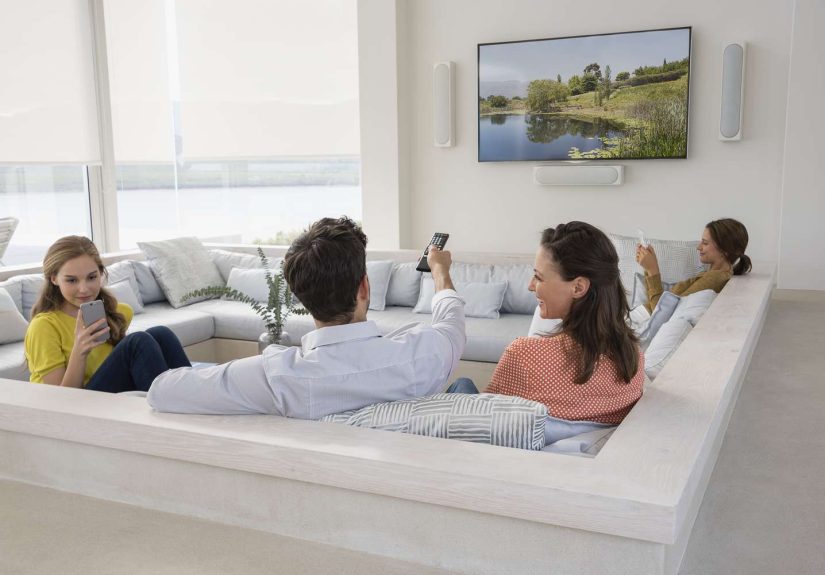
“big” isn’t the same as “right.” Your best size depends on viewing distance and how immersive you want the picture to feel.
A simple distance-to-size rule that works
For a detailed 4K experience, a common guideline is to sit roughly 1 to 1.5 times the TV’s diagonal size
away. Another practical approach is to aim for around a 30-degree field of view for mixed viewing.
If you want a quick estimate: take your viewing distance in inches and divide by 1.6 to get a TV size
(in inches) that lands you near that 30-degree zone.
Concrete examples (because measuring in “ish” is not science)
- 7 ft (84″) away: 84 ÷ 1.6 ≈ 52″ (a 55″ often feels perfect)
- 8 ft (96″) away: 96 ÷ 1.6 = 60″ (a 65″ is a sweet spot)
- 10 ft (120″) away: 120 ÷ 1.6 = 75″ (75–77″ is a crowd-pleaser)
If you mainly watch movies and want that “wow” factor, you can go bigger. If you watch lots of news or sports with logos,
sit far off-center, or share the room with someone who hates feeling like the TV is yelling at them, going slightly smaller
can feel more comfortable.
Step 3: Pick the Display Technology That Matches Your Room
Most 2025 TVs fall into three buckets: OLED, Mini-LED, and “traditional” LED/LCD
(sometimes branded as QLED). Each has a personality. Yes, TVs have personalities now. Welcome to the future.
OLED (including QD-OLED): best blacks, best “cinema” vibes
OLED pixels light up individually, which is why OLED is famous for perfect-looking black levels and excellent contrast. If
you watch movies in a darker room, OLED can feel like a cheat code. In 2025, OLED options include traditional OLED (often
called WOLED) and QD-OLED, which can deliver especially vibrant color and strong brightness on some models.
Common worry: burn-in. Real-world risk is far lower than the internet panic suggests for typical mixed use,
but if you run a cable news channel all day with static banners, or use the TV as a giant desktop monitor with lots of fixed UI,
it’s worth choosing a model with good mitigation features and using sensible brightness settings.
Mini-LED: the bright-room champion
Mini-LED TVs are LCD TVs with many more, smaller backlight zones. That means better control over bright highlights and dark
areasplus the ability to get very bright. If your living room has a lot of sunlight or you love sports in the middle
of the day, Mini-LED can be a fantastic fit. The best ones get close to OLED’s contrast while beating OLED in raw brightness.
Standard LED/LCD (often “QLED”): best value, easiest on your wallet
Budget and midrange TVs are often standard LED/LCD models with decent HDR support and smart features. They’re great for bedrooms,
guest rooms, kids’ rooms, or anyone who simply wants a big screen that works without turning into a hobby.
Step 4: Don’t Overthink Resolution (4K Wins in 2025)
For most homes, 4K is the correct answer in 2025. Content, pricing, and performance are optimized around 4K.
8K still exists, but it’s expensive and the real-world benefit is limited for typical viewing distances, especially
when most content isn’t native 8K.
Instead of paying extra for 8K, most people get more visible improvement by spending that money on better contrast (OLED/Mini-LED),
better HDR performance, and better processing/upscaling.
Step 5: HDR Matters More Than You Think (And It’s a Format Minefield)
HDR (High Dynamic Range) is what makes bright highlights pop, dark scenes look less muddy, and colors feel richerwhen done well.
In 2025, the format support you choose can affect what you actually see on Netflix, Disney+, Apple TV+, Prime Video, UHD Blu-ray,
and more.
The HDR formats you’ll see most
- HDR10: the baseline. Almost everything supports it.
- Dolby Vision: widely supported in streaming and on many TVs; often excellent when the TV can take advantage of it.
- HDR10+: common on some brands and services; similar “dynamic metadata” idea to Dolby Vision.
- HLG: often used for broadcast HDR.
Practical tip: if you want maximum compatibility, look for a TV that supports HDR10 + Dolby Vision
(and ideally HLG too). Some brands emphasize HDR10+ instead of Dolby Vision, so check what your favorite services use.
Step 6: Motion and Refresh RateThe Stuff Sports Fans Notice Immediately
Refresh rate is commonly 60Hz or 120Hz (and sometimes higher on certain models). For movies, 60Hz can be fine, but for sports
and gaming, 120Hz often looks smootherespecially with fast camera pans and quick action.
Watch out for the “soap opera effect”
Many TVs ship with motion smoothing turned on. It can make cinematic content look strangely like a backstage reality show.
If faces look too “live,” go into settings and reduce or disable motion interpolation for movies and scripted TV.
Step 7: Gaming FeaturesHDMI 2.1 Is the Phrase You’re Looking For
If you play on PS5, Xbox Series X/S, a gaming PC, or newer hardware, you’ll want a TV that supports the features that actually
improve gameplay feel and responsiveness.
Gaming specs that matter in 2025
- 4K at 120Hz: smoother motion and faster responsiveness in supported games.
- VRR (Variable Refresh Rate): reduces tearing and stutter.
- ALLM (Auto Low Latency Mode): switches the TV into game mode automatically.
- Low input lag: the “controller feels snappy” factor.
- Enough HDMI 2.1 ports: especially if you have multiple consoles or a console + soundbar/receiver.
Important: TV marketing can be confusing. Some sets advertise HDMI 2.1 features but only deliver partial functionality on
certain ports. If gaming is a priority, confirm the TV has the features you need on the ports you’ll actually use.
Step 8: AudioPlan for a Soundbar (Yes, Even in 2025)
TVs are thinner than a good sandwich. Great for wall mounting; less great for sound. Most built-in speakers struggle with
dialogue clarity and bass.
ARC vs eARC (the one cable trick that actually helps)
If you add a soundbar or AV receiver, look for eARC on the TV. ARC can pass audio back through HDMI, but
eARC supports higher bandwidth audio formats and tends to be more reliable for modern setups. This can matter if you want
the best-quality Dolby Atmos from certain sources or discs.
Step 9: Smart TV Platforms and PrivacyBecause Your TV Is Also a Computer
In 2025, almost every TV is “smart.” That’s great for apps. It’s also a reason to spend 5 minutes in settings so your TV
doesn’t become the world’s most glamorous data collector.
Pick a platform you can live with
- Google TV: strong app support and recommendations; can be feature-heavy.
- Roku TV: simple and familiar for many households.
- Brand platforms: often fast and polished, but vary in update cadence and privacy controls.
Privacy checklist you should actually do
- Turn off automatic content recognition (ACR) or “viewing information services” if you don’t want tracking.
- Disable microphones/cameras if you don’t use voice features.
- Review ad personalization toggles.
- Consider using an external streaming box if you prefer its privacy controls or longer support life.
Step 10: Connectivity, Cables, and Future-Proofing Without Going Overboard
You don’t need to obsess about the future, but you do want to avoid buying a TV that’s already “full” the moment you plug in
your gear.
Ports to look for
- HDMI ports: 4 is comfortable; fewer can be annoying fast.
- One HDMI with eARC: if you plan on a soundbar/receiver.
- At least one full-feature HDMI 2.1 port: if you game.
- Ethernet: nice for stable streaming, especially in busy Wi-Fi homes.
- USB: useful for basic media playback or powering small devices.
HDMI cables: buy “certified,” not “mystical”
If you need 4K/120 gaming or eARC stability, look for Ultra High Speed HDMI certified cables. The certification
label exists for a reason, and you don’t need overpriced “gold-plated dragon scale” cables to get great performance.
Also note: HDMI standards continue to evolve (HDMI 2.2 and “Ultra96” cables are a thing on paper), but most 2025 home setups
are perfectly served by certified Ultra High Speed HDMI for HDMI 2.1-era gear.
Step 11: Antenna and NextGen TV (ATSC 3.0)Worth Thinking About if You Cut the Cord
If you rely on an antenna, you’ve probably seen “NextGen TV” mentioned. ATSC 3.0 can enable features like improved reception and
more advanced broadcast capabilities, but it’s also an evolving ecosystem. Not every TV includes an ATSC 3.0 tuner, and availability
varies by location.
If over-the-air viewing is important to you, check whether the TV has the tuner you want (or plan on an external tuner), and be
aware that policy and implementation details have been actively developing.
Step 12: Budget SmarterSpend Where Your Eyes Will Actually Notice
If you’re working with a set budget, here’s how to allocate your money for maximum real-world improvement:
- Room is bright? Put dollars into brightness and reflection handling (often Mini-LED).
- Movie lover? Put dollars into contrast, HDR performance, and good processing (often OLED or higher-end Mini-LED).
- Gamer? Put dollars into HDMI 2.1 features and low latency.
- Everyone watches everything? Put dollars into a balanced “great at most things” mid-to-high tier model and the right size.
Step 13: A Quick In-Store Test That Beats the Demo Loop
Store demos are designed to make TVs look like they’re powered by sunlight and optimism. When you’re testing:
- Ask to see a regular TV mode (not “Vivid” or “Store”).
- Check subtitles on a dark scene for blooming/haloing (especially on LCD/Mini-LED).
- Look at a face in normal lightingdo skin tones look natural?
- Move off-center. If the picture washes out, that matters for group viewing.
- Open the settings menuif it’s painfully slow now, it won’t get better when you’re annoyed later.
Conclusion: Buy the TV That Fits Your Room, Your Habits, and Your Patience Level
The “best TV” in 2025 isn’t a single modelit’s the one that matches your lighting, your content, your seating distance, and
how you actually live. If you remember nothing else, remember this: size + contrast + HDR performance usually
create more joy than chasing the highest resolution number on a box.
Choose a screen size that feels immersive from your couch, pick OLED or Mini-LED based on room brightness and viewing style,
make sure you have the ports you need (especially if you game or want a soundbar), and take five minutes to adjust picture and
privacy settings once it’s set up. Then sit down, hit play, and enjoy the rare luxury of a purchase that can make a Tuesday night
feel like an event.
Real-World Experiences in 2025 (About of “Yep, That’s Me” Moments)
Here are a few experiences that come up again and again for real households shopping for a TV in 2025shared here as relatable
scenarios (not as personal anecdotes), because the same patterns repeat no matter the zip code or the streaming service of choice.
1) The Bright Living Room Surprise. Someone buys a gorgeous OLED after falling in love with it in a dim store
corner… then mounts it opposite a wall of windows. By noon, the picture is still good, but the room wins the brightness contest.
The lesson: if you watch a lot of daytime TV, prioritize brightness and reflection handling (often Mini-LED) or plan for curtains
and a viewing routine that makes sense for your space.
2) The “One HDMI Port Too Few” Regret. A household plugs in a console, a soundbar, and a streaming stickthen
realizes they also want a second console or a cable box. Suddenly you’re doing HDMI musical chairs. The fix is simple: buy a TV
with enough ports (and preferably eARC for the soundbar), so you don’t have to crawl behind the cabinet like an amateur spelunker.
3) The Motion Smoothing Plot Twist. The TV arrives, everything looks “ultra smooth,” and within a week someone says,
“Why does this movie look like a behind-the-scenes documentary?” That’s motion interpolation. Many TVs ship with it enabled.
The win is learning to create two picture presets: one for movies (less smoothing) and one for sports (more motion assistance).
That way, everyone’s brain stays happy.
4) The Gaming Upgrade That Finally Feels “Next-Gen.” Plenty of gamers in 2025 realize that the biggest upgrade
isn’t “more pixels,” it’s responsiveness. The first time someone plays a supported game at 120Hz with VRR, they often describe it
as “everything feels tighter.” The lesson: if you game a lot, prioritize HDMI 2.1 gaming features and low input lag over luxury
extras you’ll never use.
5) The “Smart TV Is Too Smart” Moment. People love built-in apps until the TV starts recommending shows they don’t want,
auto-playing previews, or nudging them into ad personalization. The relief is discovering privacy togglesturning off ACR/viewing
data, limiting ad personalization, and disabling microphones if they’re unused. Some households also decide they prefer an external
streamer because it’s faster, easier to update, or just feels less invasive.
6) The Return Policy Reality Check. TVs are one of the few products where you can do everything “right” and still not
like how it looks in your specific room. That’s not failure; that’s physics (lighting, reflections, seating angles). The smart move
is planning for it: buy from a retailer with a clear return window, keep the box until you’re sure, and test the TV with the content
you actually watchsports, darker dramas, kids’ cartoons, and your favorite game.
If these scenarios feel familiar, good. It means you’re shopping like a human, not like a spec sheet. Use the experiences above as a
shortcut: anticipate the common pain points, choose accordingly, and you’ll end up with a TV that feels effortless instead of “almost right.”
Quick Final Checklist (Screenshot This With Your Brain)
- Right size for your seating distance
- OLED vs Mini-LED chosen based on room brightness and viewing style
- HDR support that matches your services (Dolby Vision and/or HDR10+)
- HDMI 2.1 features if you game (4K/120, VRR, ALLM)
- eARC if you want a soundbar/receiver
- Enough HDMI ports for your devices
- Privacy settings reviewed after setup