Table of Contents >> Show >> Hide
- Before You Start: What “Dispute” Usually Means on eBay
- Fast Checklist: What You’ll Want Ready
- Step 1: Confirm the Problem Type (So You Pick the Right Path)
- Step 2: Check the Clock (Deadlines Are Real)
- Step 3: Message the Seller First (Politely, Clearly, and in Writing)
- Step 4: Gather Evidence Like You’re a Calm Detective
- Step 5: Open a Request in eBay (This Is the “Dispute” Start Line)
- Step 6: Work the Request (Negotiate Like a Reasonable Human)
- Step 7: Ask eBay to Step In (When the Seller Can’t or Won’t Fix It)
- Step 8: Close the Loop (Refund, Return Shipment, and Receipts)
- Extra Tips to Win Without the Stress
- Common Examples (So You Can See It in Action)
- What If You’re Still Stuck?
- of Real-World Experience: What People Learn After Filing an eBay Dispute
- Conclusion
Buying on eBay can feel like treasure hunting: sometimes you score a vintage gem, and sometimes you open the box and think,
“Oh no… this is definitely not what the photos promised.” The good news: eBay has a structured process (and buyer protections)
designed to help you fix common problems like items that never arrive, items that arrive damaged, or items that show up wearing a disguise.
This guide walks you through how to open a dispute on eBay in eight practical stepsplus real-world tips to help you move faster,
communicate better, and keep your refund odds high without turning your week into a customer service soap opera.
Before You Start: What “Dispute” Usually Means on eBay
On eBay, buyers typically resolve issues by opening a request (like an “item not received” report or a return request),
then escalating if needed by asking eBay to step in and help. People often call this whole process “opening a dispute.”
Most of the time, you’ll be working under the eBay Money Back Guarantee for eligible purchases. Timing matters,
so think of this like milk in the fridge: it may look fine, but the date stamp is the boss.
Fast Checklist: What You’ll Want Ready
- Order details (item number, seller name, purchase date)
- Delivery info (tracking number, estimated delivery date, delivery confirmation)
- Evidence (photos, short video, screenshots of listing description, messages)
- Your goal: replacement, return, full refund, partial refund, or shipping label
Pro tip: Keep all communication inside eBay Messages. If it’s not in eBay’s system, it’s basically a conversation that happened in the woods.
Step 1: Confirm the Problem Type (So You Pick the Right Path)
Common dispute scenarios
- Item not received (INR): The estimated delivery date passed and nothing arrived.
- Item not as described (INAD): Wrong item, missing parts, counterfeit concerns, major defects not disclosed.
- Arrived damaged: It’s cracked, crushed, or looks like it fought a raccoon in transit.
- Missing pieces: Item arrived, but essential components didn’t.
Choosing the correct reason matters because it impacts what eBay asks for, how the seller can respond,
and what a fair solution looks like.
Step 2: Check the Clock (Deadlines Are Real)
eBay issues are easiest to fix when you act quickly. In many cases, buyers have a limited window to start a return request or report
an item that hasn’t arrived. If you wait too long, your options can shrinkeven if your frustration grows.
Time-sensitive moments to watch
- After the estimated delivery date: If your item hasn’t arrived, don’t “be polite” for a month. Start the process.
- After delivery: If it arrived damaged or not as described, document it immediately and open a return request promptly.
- After you open a request: The seller typically gets time to respond; after a short waiting period, you can escalate.
Think of deadlines like exit signs on a highway: you can ignore them… but you may not love where you end up.
Step 3: Message the Seller First (Politely, Clearly, and in Writing)
Yes, it’s tempting to start with “HELLO???”, but calm wins cases. Many disputes are resolved quickly when the seller has a chance to fix it.
A clear message also creates a clean record if you later need eBay’s help.
A great seller message includes
- What happened (one sentence, no novel)
- What you want (refund, replacement, return label, missing part)
- Evidence (photos or screenshots attached)
- A reasonable timeline (“Please reply within 2 business days”)
Example message (copy/paste style)
“Hi! I received the item today, but it doesn’t match the listing description. The model number is different and a key part is missing.
I’ve attached photos. Could you please advise whether you’d prefer to send the correct item or approve a return for a refund? Thanks!”
Friendly tone, specific details, and a clear request. You’re not auditioning for a courtroom dramayou’re building a paper trail.
Step 4: Gather Evidence Like You’re a Calm Detective
Evidence is your best friendquiet, organized, and extremely convincing. eBay decisions tend to follow what can be verified.
Best evidence to upload
- Photos in good light: show damage, labels, serial/model numbers, missing parts, packaging condition
- Short video: unboxing can help for fragile items or “missing parts” disputes
- Screenshot of listing: especially the description, item specifics, and photos
- Tracking screenshots: if shipping status is confusing
Bonus points: Take one “wide” photo that shows the whole item and one “close-up” photo that shows the specific defect.
Not because eBay loves photographybut because clarity prevents misunderstandings.
Step 5: Open a Request in eBay (This Is the “Dispute” Start Line)
Now it’s time to officially open the issue through eBay, typically from your order details. You’ll choose the problem type and submit your request.
This is the moment you go from “unhappy buyer” to “buyer with a case number.”
Where to open the request
- Go to My eBay → Purchase history
- Find the order
- Select the option to report a problem (for missing item) or start a return (for not as described/damaged)
Choose the best reason (don’t improvise)
- Item not received: use if the delivery date passed and tracking doesn’t show delivered.
- Doesn’t match description: use if it’s wrong, defective beyond what was disclosed, or materially different.
- Arrived damaged: use for shipping damage, crushed boxes, broken parts.
Write your explanation like a good product review: short, factual, and specific.
“The item is damaged” is okay. “The item arrived with a cracked screen and won’t power on; photos attached” is better.
Step 6: Work the Request (Negotiate Like a Reasonable Human)
Once the request is open, eBay typically expects you and the seller to try resolving it first.
Many sellers offer solutions quickly because they want positive feedback, fewer headaches, and the ability to sleep at night.
Common solutions you might see
- Full refund after return: the classic route
- Replacement: common for standard items, less common for one-of-a-kind listings
- Partial refund: useful if the item is usable but not perfect
- Missing part shipped separately: surprisingly common and often fast
Tip: Don’t accept a solution you can’t live with
If you accept a partial refund, you may be closing the door on other outcomes. Before you click “agree,” ask yourself:
“If this is the final answer, am I okay with it?” If not, keep negotiating (politely) while the case is open.
Step 7: Ask eBay to Step In (When the Seller Can’t or Won’t Fix It)
If the seller doesn’t respond, refuses to help, or you’re stuck in an endless loop of “please wait 48 more hours,”
you can escalate by asking eBay to step in and help once the case is eligible.
When escalation makes sense
- The seller stopped responding
- The seller offered a solution that doesn’t match the issue (for example, no return label for a valid return)
- The seller keeps delaying without providing a clear resolution
- Tracking or evidence supports your claim, but you’re not getting traction
When eBay steps in, they’ll review your request history, messages, and evidence, then make a decision based on the rules and what can be verified.
This is why clean documentation is so powerful.
Step 8: Close the Loop (Refund, Return Shipment, and Receipts)
If your dispute results in a return, follow the return instructions carefully. If it results in a refund, track the refund timing to your original payment method.
Either way, keep your receipts until everything is finalized.
If you have to ship a return
- Use the provided label if available
- Pack the item securely (pretend it’s going to ride a mechanical bull)
- Get a drop-off receipt and keep it
- Upload tracking if eBay asks for it
If your refund is approved
- Confirm the refund shows in your eBay order details
- Watch your payment method for the credit (timing varies by bank/payment provider)
- Save screenshots until the refund fully posts
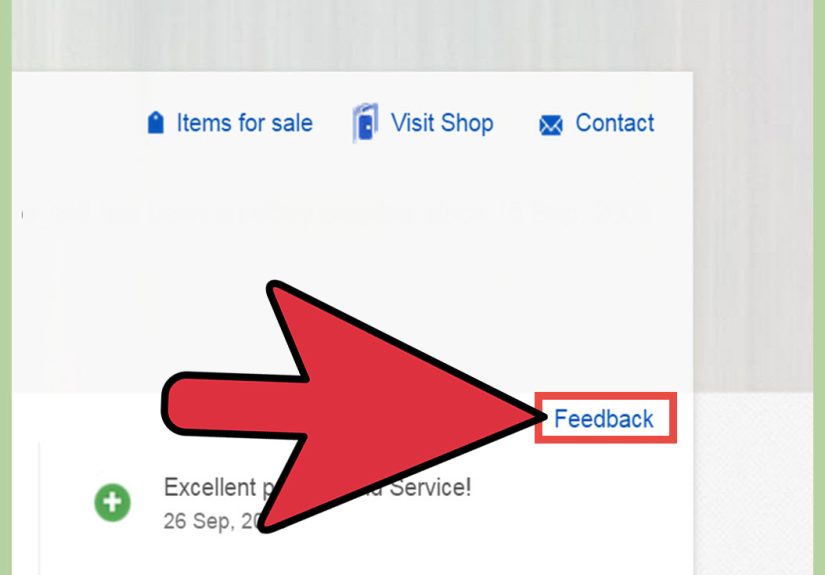
Once resolved, you can leave feedback that matches your experience. A fair review helps other buyersand nudges sellers to improve.
Extra Tips to Win Without the Stress
1) Keep your story consistent
If you say “item not received” in one message and “delivered but stolen” in another, your case may get messy.
Stick to the facts you can support.
2) Avoid off-platform problem-solving
If a seller asks you to text them, email them, or “just close the case and we’ll refund you,” be cautious.
Keeping communication and actions inside eBay protects you if the seller disappears.
3) Understand the difference between eBay and payment disputes
In some situations, buyers also consider filing a dispute with their payment provider (like a credit card dispute or PayPal claim).
That’s a separate process with separate rules and timelines. If you go that route, keep documentation organized and follow your provider’s requirements.
4) Be specific about “not as described”
“It’s smaller than I imagined” is subjective. “The listing stated 12 inches, but the item measures 9 inches” is measurable.
Measurable usually wins.
Common Examples (So You Can See It in Action)
Example A: Item not received, tracking stuck
You ordered a pair of sneakers. The estimated delivery date passed three days ago. Tracking shows “In transit” with no updates.
You message the seller asking for an update. If there’s no resolution, you open an “item not received” request from your purchase history
and upload the tracking screenshot. If the seller can’t fix it within the case timeline, you escalate to eBay.
Example B: Not as described, missing key part
You bought a “complete” camera kit, but it arrives without the battery and charger. The listing photos showed both.
You take photos of the box contents, screenshot the listing, and message the seller requesting missing parts or a return for refund.
If the seller offers a solution you can’t accept, you open a return request and upload evidence.
Example C: Damaged in transit
A glass item arrives cracked. You photograph the shipping box (including any dents), the packing material, and the damage.
You open a return request for “arrived damaged” and attach your photos. You keep the packaging until the dispute is resolved.
What If You’re Still Stuck?
If you’ve opened a request, communicated clearly, uploaded evidence, and escalated when eligiblebut the outcome still doesn’t feel rightpause.
Review the facts and consider whether your next best step is to:
- Upload clearer evidence (better lighting, closer photos, screenshots of key listing claims)
- Reply in the case thread with a concise summary (3–5 bullet points)
- Check whether your purchase falls under special rules (like event tickets or certain restricted categories)
- Explore your payment provider’s dispute process if appropriate (separate from eBay’s process)
Most importantly: don’t let frustration make your messages messy. The more professional your case file looks,
the easier it is for a human reviewer to say, “Yep, refund.”
of Real-World Experience: What People Learn After Filing an eBay Dispute
If you’ve never opened a dispute on eBay before, the process can feel a little like trying to assemble furniture without the instructions:
you know there’s a right way, but you’re not sure which screw goes where. After helping friends and family navigate eBay disputes,
a few “experience lessons” show up again and againand they’re surprisingly practical.
First, people often underestimate how much tone matters. Not because eBay is judging your vibe,
but because sellers are humans who respond faster to respectful messages. A seller who sees “Hi! Can you help me fix this?”
is more likely to jump in than one who sees “YOU SCAMMED ME.” Even when you’re right, starting polite can shorten the whole timeline.
If the situation is truly suspicious, you can stay calm and still be firm: “I’d like a refund per the listing details and attached photos.”
Second, the buyers who succeed quickest almost always do one thing: they document immediately.
When something arrives damaged, they take photos before throwing away packaging. When an item is missing, they photograph everything in the box.
When the listing promised a feature, they screenshot that claim. It takes five minutesyet it can save you five days of back-and-forth.
One friend bought a “new” gadget that arrived with obvious wear. The case turned around fast because the photos were clear,
the listing screenshot showed “brand new,” and the message to the seller was short and factual.
Third, many people learn (the hard way) not to wait out of optimism. There’s a natural impulse to think,
“The seller seems nicemaybe it’ll show up tomorrow.” Sometimes it does. But if the estimated delivery date has passed,
it’s smarter to start the official request while you still can. You can still resolve it peacefully after opening a request,
and you keep your options open if things go sideways. It’s like putting on a seatbelt: you’re not planning a crash, you’re planning for reality.
Fourth, people often get tripped up by partial refund negotiations. A seller may offer a partial refund quickly,
which can be totally fair if the issue is minor. But experienced buyers pause and do the math: What does it cost to replace the missing part?
How much value did you lose? If you accept $10 off a $200 item that needs a $60 repair, you’re basically buying yourself a problem.
A simple response works well: “Thankscan you do $X based on the repair estimate, or should we proceed with a return?”
Finally, seasoned eBay buyers keep everything inside the platform: messages, photos, and updates.
Not because they love apps, but because it protects them. If you ever need eBay to step in, your best ally is a clean,
organized case history that reads like a clear timeline instead of a mystery novel. And once you’ve done it once,
opening a dispute becomes less scarymore like filing a warranty claim: not fun, but definitely manageable.