Table of Contents >> Show >> Hide
- The Short Version: Yes, but Read the Fine Print
- Why This Matters More Than It Sounds
- How It Works Right Now
- Security, Privacy, and the “Please Don’t Make This Weird” Factor
- The Caveats You Should Absolutely Know
- What This Means for Everyday Users
- If Your Android Phone Still Is Not Supported
- Where This Goes Next
- Extended Experience: What This Feels Like in Real Life
- Conclusion
For years, sending a file from an iPhone to an Android phone felt weirdly more difficult than paying taxes, assembling furniture, and explaining group chat drama to your parents combined. Apple users had AirDrop. Android users had Quick Share. Both systems were fast, convenient, and genuinely useful, but they lived on opposite sides of one of tech’s most famous fences.
That fence has finally started to crack.
As of March 2026, AirDrop-style file sharing now works with supported Android phones through Google’s Quick Share interoperability with Apple’s AirDrop. That means the old routine of emailing yourself a photo, texting a giant video that turns into a blurry potato, or uploading a file to the cloud just to move it five feet across a table is no longer the only option.
There is a catch, of course, because this is consumer tech and consumer tech never misses a chance to add a footnote. AirDrop working with Android does not mean every Android phone can suddenly join the party. Right now, the feature is available on supported Pixel phones, with broader Android expansion expected. Still, this is one of the biggest quality-of-life updates for mixed-device households, workplaces, classrooms, and friend groups in years.
So yes, the headline is true. AirDrop now works with Android. But the real story is even more interesting: this change says a lot about where cross-platform tech is heading, why ecosystems are becoming a little less locked down, and what convenient file sharing will probably look like from here on out.
The Short Version: Yes, but Read the Fine Print
Let’s get the most important point out of the way first. Apple did not suddenly turn AirDrop into a fully open, universal sharing standard for every Android device on Earth. This is not a giant group hug between Cupertino and Mountain View. It is more like one carefully opened side gate.
What changed is that Google built a way for Quick Share to interoperate with AirDrop. In practical terms, supported Android phones can now send files to iPhones, iPads, and Macs, and Apple devices can send files back to those Android phones. The transfer still appears as an AirDrop request on the Apple side and as Quick Share on the Android side, so the experience feels familiar to users on both platforms.
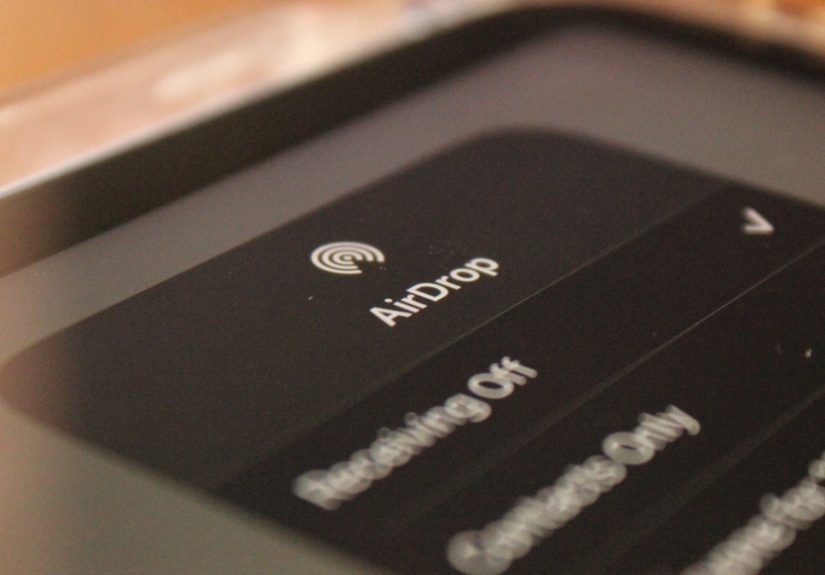
At the moment, that support is tied to newer Pixel hardware, and the feature still depends on a few conditions. The Apple device has to be discoverable through AirDrop using the “Everyone for 10 minutes” setting. The Android device has to be visible through Quick Share or placed in receive mode. Both people still approve the transfer manually. In other words, it is convenient, but not reckless.
That balance matters. The best version of file sharing is not just fast. It is fast, easy, and just controlled enough that you do not accidentally accept a random mystery image from the guy next to you at the airport.
Why This Matters More Than It Sounds
If you use only Apple products, you might read this news and shrug. AirDrop already works beautifully inside Apple’s ecosystem, so why should you care? Because the real world is messy, and very few people live in a perfectly sealed device bubble.
Maybe you carry an iPhone but your work laptop is a Windows machine. Maybe your roommate has a Pixel, your best friend has a MacBook, and your family group chat contains every operating system known to humankind. Maybe you are a student moving lecture notes, a designer handing over drafts, a real estate agent sending listing photos, or just a normal person trying to send one decent video without summoning six cloud apps and a prayer.
That is why this change matters. It reduces friction in everyday life. It removes one of those tiny but constant annoyances that users quietly accept until somebody finally fixes it. The result is not just a cool tech demo. It is a practical improvement to how people share content in real environments where brand loyalty is less important than just getting the file from Device A to Device B before lunch.
It also reflects a broader shift in consumer tech. The walls between ecosystems are still there, but they are getting shorter. Messaging standards are improving, data transfer tools are getting better, and users are pushing companies toward more interoperability. AirDrop working with Android is part convenience feature, part cultural moment.
How It Works Right Now
Supported Android Devices
As of March 2026, Quick Share-to-AirDrop compatibility is available on supported Pixel 9 and Pixel 10 phones, excluding the Pixel 9a. That means the feature is real and usable today, but it is not yet a blanket Android-wide rollout.
If you own another Android phone, that does not necessarily mean you are out of luck forever. Google has already signaled that more Android devices should gain support. But today, the safest way to describe the feature is this: AirDrop now works with Android on select, supported Pixel phones, with more expansion expected.
Sending Files from Android to iPhone
The process is refreshingly simple. On the Apple device, the recipient enables AirDrop visibility and selects “Everyone for 10 minutes.” On the Pixel, the sender opens the photo, video, document, or file, taps Share, then taps Quick Share. If the nearby iPhone, iPad, or Mac is discoverable, it appears in the list. Tap it, wait for the recipient to approve, and the file transfers.
That is it. No cable. No email attachment. No cloud detour. No “Hold on, let me upload it first” speech that drains the life out of a perfectly normal interaction.
Sending Files from iPhone to Android
The transfer works in reverse, too. The Pixel has to be visible through Quick Share or sitting in receive mode. Once that happens, an Apple user can start an AirDrop transfer, and the Android user can accept it. This two-way support is what turns the feature from a party trick into something genuinely useful.
It also means Android users are no longer stuck being the one person in the room who has to say, “Can you just send it to me another way?” That sentence may now enter retirement, and frankly, it deserves it.
Security, Privacy, and the “Please Don’t Make This Weird” Factor
Cross-platform sharing sounds great until somebody asks the obvious question: is it safe?
Google has made security a central part of this rollout. According to the company, the interoperability layer was built with a secure-by-design approach and uses Rust for the communication layer, which is notable because Rust is widely adopted for reducing memory-safety vulnerabilities. Google also said the system was reviewed internally, tested through penetration testing, and assessed by an independent security firm.
Just as important, the transfer is designed to remain direct and peer-to-peer. Your file is not supposed to bounce through some cloud server in the background. The content is not meant to be logged as shared content, and you still have to approve incoming transfers manually. On the Apple side, the same AirDrop acceptance flow remains in place. On the Android side, Quick Share still asks for consent.
There is still one limitation that users should understand. Because the current method depends on AirDrop’s “Everyone for 10 minutes” mode, you should still double-check the device name of the person you are sending to, especially in public places. This is not a reason to panic. It is just common sense, the same kind you use when connecting to the right Bluetooth speaker instead of accidentally DJ-ing someone else’s barbecue.
The Caveats You Should Absolutely Know
It Is Not on Every Android Phone Yet
This is the biggest caveat and the one most headlines sprint past. The feature is important, but it is not yet universal. If you have an older Pixel, a Samsung Galaxy, a OnePlus phone, a Motorola device, or another Android handset, you may still need to wait for official support.
You May Need an Update
Some users have needed the Quick Share Extension update for the feature to work properly. That is a very modern tech sentence: the feature exists, but first you may need to update the thing that updates the thing. Annoying, yes. Unusual, no.
Early Rollouts Can Be a Little Bumpy
Like many new features, the early rollout has not been completely flawless. Some reports have described quirks, including temporary Wi-Fi weirdness when opening the Quick Share interface on certain devices. That does not erase the usefulness of the feature, but it is a reminder that version 1 of anything rarely arrives wearing a tuxedo.
“Everyone for 10 Minutes” Is Convenient, but Not Perfect
The current setup is practical, but it is not the final dream version. A smoother future would allow more selective cross-platform discovery, something like a Contacts Only mode across both ecosystems. If that happens, the experience would feel even more polished and even more private. Right now, this is a strong start, not the last chapter.
What This Means for Everyday Users
The people who benefit most are not necessarily hardcore tech fans. They are ordinary users who happen to live in mixed-device reality.
A parent can send a school video from an iPhone to a child using a Pixel. A designer with a Mac can quickly pass mockups to an Android-using client. A content creator can move clips between devices without involving three apps and a folder called “final_final_REALfinal.” A student can swap PDFs in class without worrying about which phone brand everyone brought that day.
This also helps reduce digital clutter. When fast local sharing works, you do not need to rely on messaging apps for everything. You do not have to compress videos unnecessarily. You do not have to generate temporary links, wait for uploads, or leave files floating in cloud storage just because two people use different phones.
That is the beauty of this feature. It does not sound dramatic, but it quietly improves a lot of tiny moments. Good technology often works like that. It removes hassle so effectively that you stop noticing the problem ever existed.
If Your Android Phone Still Is Not Supported
If you are reading this on a non-supported Android phone, do not throw your charger in despair. You still have options.
The most obvious backup is LocalSend, a cross-platform file sharing app that works across Android, iPhone, iPad, Windows, Mac, and Linux over a local network. It is not AirDrop, but it solves the same everyday problem with a similarly simple goal: move files nearby, fast, and without unnecessary drama.
Cloud storage still works, of course, and so do messaging apps, email, and old-fashioned USB transfers. But once people get used to tap-and-send local sharing, it is hard to go back. That is exactly why this AirDrop-to-Android breakthrough matters. It brings one of the most satisfying modern conveniences to a bigger, more realistic slice of the market.
Where This Goes Next
The obvious next step is wider Android support. Once more devices get compatibility, this feature stops being interesting news and starts becoming a normal expectation. That is when it really changes behavior. People stop asking which phone someone uses before sharing. They just share.
Longer term, the bigger story is interoperability. Users have made it clear that they want their devices to cooperate more gracefully. Not every feature needs to be exclusive. Sometimes the smartest move for a platform is to make everyday life less annoying, even if that means loosening the grip a little.
In that sense, AirDrop working with Android is more than a handy transfer feature. It is a signal that the industry is being pushed toward practicality. And honestly, it is about time.
Extended Experience: What This Feels Like in Real Life
Here is the most relatable part of this whole story: the value of AirDrop working with Android is not best measured in benchmarks or technical white papers. It is measured in tiny moments where friction disappears.
Imagine a mixed-device household on a Saturday morning. One person uses a Pixel, another uses an iPhone, and the family laptop is a MacBook sitting on the kitchen table under a pile of receipts and vague ambition. Somebody takes a great photo of the dog wearing sunglasses. In the old days, that photo might begin a ridiculous journey. It gets sent through a chat app, compressed into mush, then forwarded again, then maybe saved to the wrong folder, then lost forever under the digital equivalent of a couch cushion.
Now picture the same moment with cross-platform sharing working properly. The Pixel user taps Share, taps Quick Share, and the iPhone appears. The iPhone user accepts. Done. No explanation. No backup plan. No tech support performance. The photo simply arrives, intact, like the future was finally paying attention.
The same thing applies at work. Say you are in a meeting with someone who uses a Mac and you use Android. Maybe you need a presentation deck, a batch of product photos, a contract PDF, or a short video clip. Before, you might have exchanged email addresses, waited for an upload, or asked for a link. None of those methods are terrible, but none of them feel as immediate as local sharing. When nearby transfer works, collaboration feels smoother and more human. You can keep the conversation moving instead of pausing to babysit a file.
Travel is another place where this kind of feature suddenly becomes more valuable than you expected. Think about boarding passes, hotel screenshots, maps, event tickets, restaurant menus, and that one photo someone insists you need right now. In a group with mixed devices, file sharing used to be just annoying enough to slow everyone down. With local cross-platform transfer, the handoff becomes almost invisible. That is the dream: useful tech that fades into the background.
There is also something oddly satisfying about what this change represents emotionally. For years, mixed ecosystems came with a subtle social penalty. iPhone users enjoyed certain conveniences among themselves. Android users had their own set of tools. Crossing that divide often meant a downgrade in simplicity. This feature chips away at that old feeling. It says, in a very practical way, that your phone choice should not turn basic file sharing into an obstacle course.
Of course, the experience is not perfect yet. You still need the right supported device. You still have to toggle visibility settings. You may need an update before everything works smoothly. And some users will still encounter the occasional hiccup that reminds them new features are rarely born fully polished. But even with those limits, the experience is already better than the clunky patchwork people were relying on before.
That is why this matters. Not because it is flashy, but because it feels normal in the best way. Once you use a tool that makes cross-platform sharing feel easy, you stop thinking of it as a bonus feature and start wondering why it took so long. AirDrop working with Android does not just make file sharing easier. It makes the entire mixed-device experience feel a little less divided, a little less fussy, and a lot more like technology is finally doing what users wanted all along.
Conclusion
AirDrop working with Android is the kind of update that sounds small until you imagine how often people share files in real life. Photos, videos, receipts, drafts, tickets, PDFs, screenshots, voice notes, and random memes all move between devices every day. For years, cross-platform sharing was a chore. Now, at least on supported devices, it is finally becoming easy.
The headline is exciting, but the honest version is better: AirDrop now works with Android in a meaningful, usable way, even if the rollout is still growing. That makes this one of the most practical quality-of-life improvements in mobile tech right now. It saves time, reduces friction, and chips away at one of the oldest annoyances in the iPhone-versus-Android divide.
And if the broader rollout lands the way many people expect, this will not stay a neat little feature for long. It will become the new baseline. When that happens, sending a file across platforms will feel as normal as sending it within one. Which is exactly how it should have been all along.